This English version of the course material has been machine translated from the Finnish original and may contain errors. If something is unclear, check the Finnish version of this page.
Robot Framework
Robot Framework is a framework well suited for automating the acceptance testing of user stories. With Robot Framework, the tests of user stories can be written in a form the customer understands, in natural language, while still making them automatically executable.
Although Robot Framework is traditionally meant for “end-to-end” testing of the whole software, let’s first look at the principles of Robot Framework by testing a single class. Get the project in the directory koodi/viikko3/hello-robot of the course repository.
Copy the project into your submission repository, inside the directory viikko3.
The class under test is a simple counter:
class Counter:
    def __init__(self, initial_value=0):
        self.initial_value = initial_value
        self.value = initial_value

    def increase(self):
        self.value = self.value + 1

    def increment(self, amount):
        self.value = self.value + amount

    def decrease(self):
        self.value = self.value - 1

    def reset(self):
        self.value = self.initial_value
A few tests have been implemented for the counter with Robot Framework in the file increase_counter.robot in the src/tests directory. Take a look at the contents of the file and consider whether understanding the scenarios being tested requires special technical skills from the reader, compared for example to unittest tests.
Robot Framework can be used with Python through the robotframework library, which is defined as a dependency of the project. Set up the project by installing its dependencies with the command uv sync. After that, run the tests by entering the virtual environment with the command source .venv/bin/activate and running the command robot src/tests there.
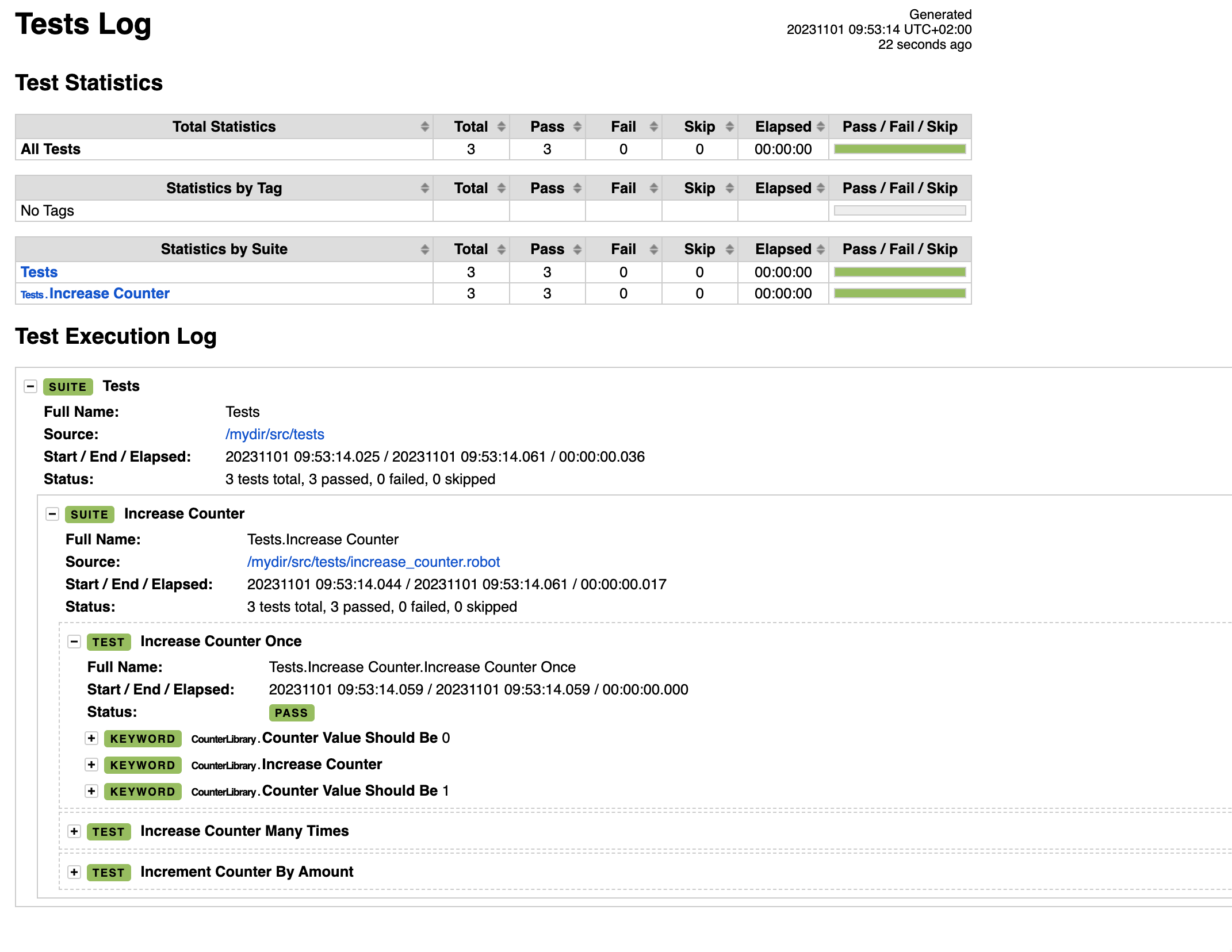
After the tests have run, a short report of the test run appears on the command line. In addition to this report, a more detailed HTML report appears in the file report.html in the project’s root directory. By clicking around in the report, you get a nice view of the status of the test run:
Expressing requirements
The desired functionality of the counter is described by the following user stories
- As a user I want to be able to increase the counter value
- As a user I want to be able to set the counter to value zero
At the core of Robot Framework are so-called keywords. A keyword is a plain-language description of something to be done. For example, from the point of view of testing the counter, one very essential keyword is Increase Counter, which can be used to increase the value of the counter.
The term keyword is a bit misleading in the sense that in Robot Framework, keyword names often consist of several parts, i.e.
Increase Counter, for example, is a single keyword (even though it consists of several English words).
Keywords can also have arguments, which make them reusable. A keyword with arguments could be, for example, Counter Value Should Be, which checks that the value of the counter matches the value of the argument.
Keywords are used by so-called test cases, which are the tests themselves. Test cases have a name (like keywords) and they execute keywords in a specific order. For example, a test case for increasing the counter could be the following:
*** Test Cases ***
Increase Counter Once
    Counter Value Should Be  0
    Increase Counter
    Counter Value Should Be  1
The test case now consists of three keywords. First we check that the counter value is initially zero, then we increase the counter, and finally we make sure that the counter value is one.
Test cases are listed under the *** Test Cases *** section. The names of keywords and test cases are usually written with capital initials and with one space between words. There must be at least two spaces between arguments (for example Counter Value Should Be 0).
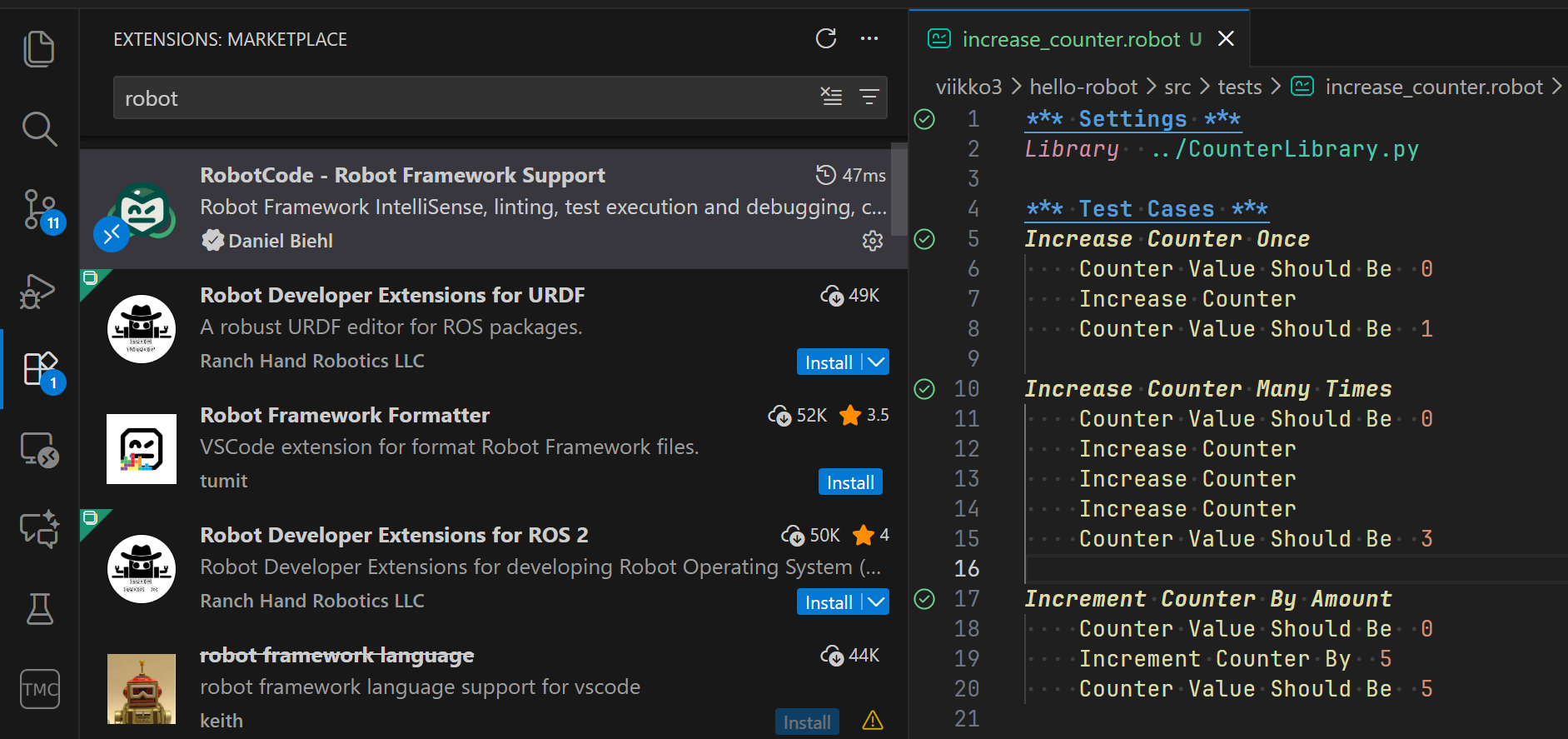
To spot syntax errors easily, it is a good idea to install a suitable extension in Visual Studio Code, e.g. RobotCode:
Making the tests executable
Behind keywords such as Increase Counter there is a technical implementation of the keyword. These implementations are provided by so-called libraries. In the src directory of the hello-robot project there is a file CounterLibrary.py. The file defines the class CounterLibrary:
from counter import Counter

class CounterLibrary:
    def __init__(self):
        self._counter = Counter()

    def increase_counter(self):
        self._counter.increase()

    def increment_counter_by(self, amount):
        int_amount = int(amount)
        self._counter.increment(int_amount)

    def counter_value_should_be(self, expected):
        int_expected = int(expected)
        if self._counter.value != int_expected:
            raise AssertionError(f"{self._counter.value} != {int_expected}")
The methods of this class are the implementations of the keywords. For example, the method increase_counter implements the keyword Increase Counter (note that the keyword has no underscore; it is replaced by a space). The class constructor initialises a new object of the Counter class, whose methods the class’s methods call.
Robot Framework initialises the libraries before each test case, so each test case has its own instance of the library. Among other things, this means that a new Counter object is initialised through the constructor of the CounterLibrary class for each test case of the project.
The method increment_counter_by implements the keyword Increment Counter By, which has one argument, amount. The values of arguments are always strings, so they have to be converted to the right type when needed, as the method does with the int function:
def increment_counter_by(self, amount):
    int_amount = int(amount)
    self._counter.increment(int_amount)
Note that all methods whose name does not have the _ prefix form the implementation of a keyword. If you want to add a method to the library that you do not want to become a keyword, name it with the _ prefix:
from counter import Counter

class CounterLibrary:
    def __init__(self):
        self._counter = Counter()

    def _some_helper_method(self):
        pass

    # ...
To use the keywords provided by a library in a test file, the library has to be imported separately. This is done in the Settings section:
*** Settings ***
Library  ../CounterLibrary.py

*** Test Cases ***
Increase Counter Once
    Counter Value Should Be  0
    Increase Counter
    Counter Value Should Be  1
Note that the path of the library is relative to the file.
You can also import several libraries into a file by adding several Library lines:
*** Settings ***
Library  ../CounterLibrary.py
Library  ../SomeUsefulLibrary.py
Combining keywords
In addition to libraries, keywords can also be defined in .robot files. This is done by defining a new keyword under the *** Keywords *** section. For example, we can use the keyword Increase Counter to implement the keyword Increase Counter Three Times, which increases the counter value three times:
*** Settings ***
Library  ../CounterLibrary.py

*** Keywords ***
Increase Counter Three Times
    Increase Counter
    Increase Counter
    Increase Counter
Reset scenarios
Add a file reset_counter.robot to the src/tests directory, containing the acceptance tests related to resetting the counter.
Add the following test cases to the file:
*** Settings ***
Library  ../CounterLibrary.py

*** Test Cases ***
Reset Counter After One Increment
    Counter Value Should Be  0
    Increase Counter
    Counter Value Should Be  1
    Reset Counter
    Counter Value Should Be  0

Reset Counter After Several Increments
    Counter Value Should Be  0
    Increment Counter By  5
    Counter Value Should Be  5
    Reset Counter
    Counter Value Should Be  0
Enter the virtual environment with the command source .venv/bin/activate and run the command robot src/tests there.
The tests do not pass, and the output contains the following error:
No keyword with name 'Reset Counter' found.
So Robot Framework reports that the keyword Reset Counter has no implementation.
Next, implement a suitable method in the CounterLibrary class so that the tests pass.